

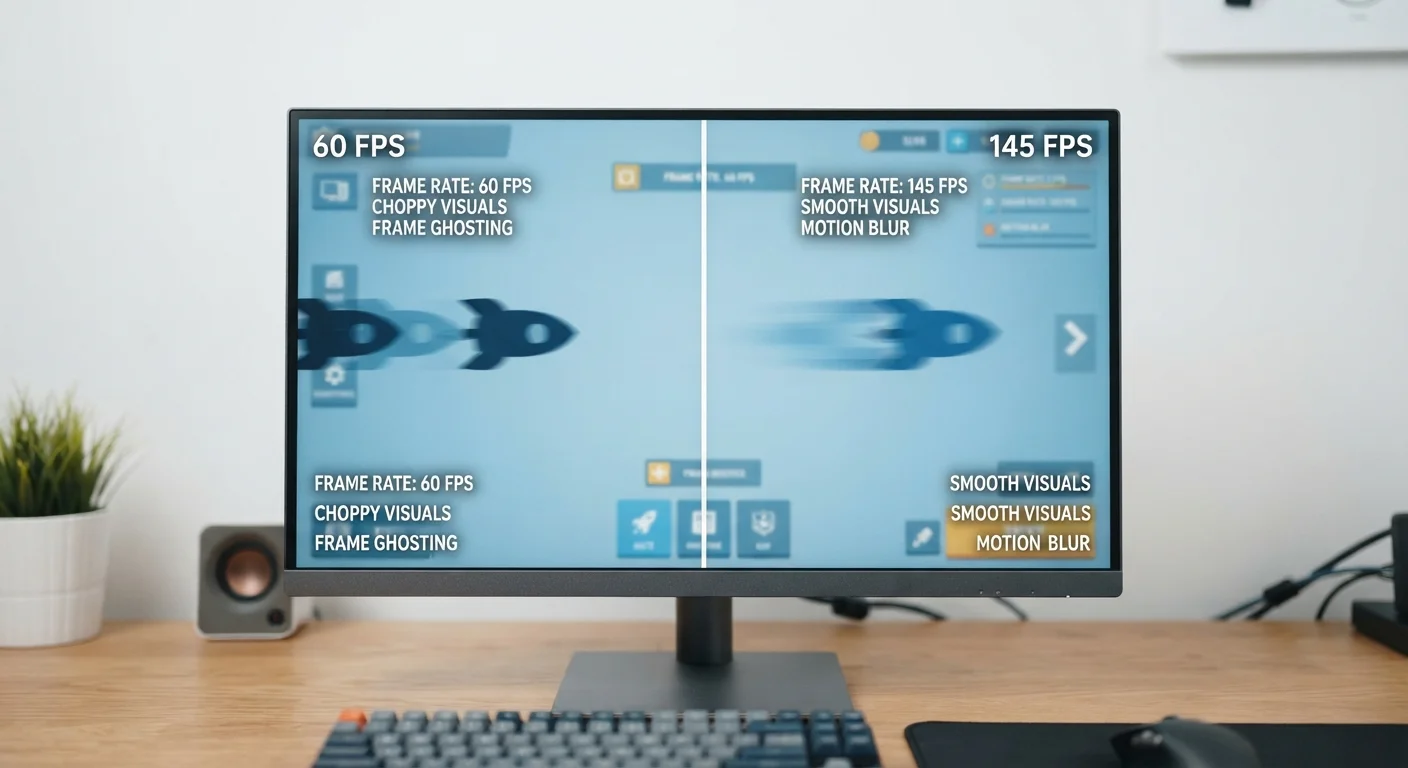
The Basic Idea: Why Screens Refresh
Digital displays do not show a continuous, unbroken image the way a printed photograph does. Instead, they flash a new still image many times every second, creating the illusion of smooth motion - much like the individual frames of a film reel. The speed at which this happens is the refresh rate, expressed in hertz (Hz).
A screen with a 60 Hz refresh rate redraws its image 60 times per second. One running at 120 Hz does it 120 times per second. To the human eye, faster redrawing translates to smoother, more natural-looking motion - especially when something on screen is moving quickly.
Adaptive Refresh Rate Displays
Some newer displays use adaptive refresh rate technology - sometimes called variable refresh rate - that automatically adjusts the Hz based on what is happening on screen. This can deliver smooth motion when needed while conserving power during low-activity moments, offering a practical middle ground for everyday users.
When Refresh Rate Actually Makes a Difference
For static tasks - reading an article, working in a spreadsheet, or browsing the web - a 60 Hz display looks perfectly fine. The screen is not showing much motion, so a higher refresh rate adds little value you would notice.
The difference becomes obvious with fast-moving content. Video games, in particular, benefit greatly from higher refresh rates because characters, environments, and on-screen actions move rapidly. A higher Hz display can represent that motion with more individual frames, reducing the blurring or stuttering effect that lower refresh rates can produce.
Scrolling through a feed or app on a smartphone is another place where 90 Hz or 120 Hz panels feel noticeably smoother compared to 60 Hz. Many people who switch from a 60 Hz phone to a 120 Hz phone describe the experience as feeling more responsive and natural.
60 Hz
Standard refresh rate on most displays
Most mainstream monitors, TVs, and budget smartphones ship with a 60 Hz panel as the default display specification.
120 Hz
Common high-refresh rate on modern smartphones
Many mid-range to flagship smartphones now include 120 Hz displays, a specification that has become increasingly common in recent product generations.
144 Hz+
Typical gaming monitor refresh rates
Gaming-focused monitors frequently offer 144 Hz, 165 Hz, or higher refresh rates, targeting users who want maximum motion clarity in fast-paced games.
Refresh Rate vs. Frame Rate: A Common Confusion
Refresh rate and frame rate are related, but they describe different things. Refresh rate is a hardware property - it is what the display panel is capable of. Frame rate (measured in frames per second, or fps) is a software and processor property - it describes how many complete images your device can generate each second.
Think of it this way: a 120 Hz display is like a road with 120 lanes available. If your device's processor can only produce 30 frames per second, you are only using 30 of those lanes. Both numbers need to be high for the full benefit. This is why gaming enthusiasts pay attention to both the monitor's refresh rate and the graphics performance of their computer.
Check Your Device's Display Settings
If your phone or monitor supports multiple refresh rates, you may be able to switch between them in the display settings menu. Lowering the rate when doing basic tasks can extend battery life on portable devices without any noticeable drop in quality for reading or browsing.
What This Means for Everyday Consumers
If you primarily use your screen for email, social media, video calls, and streaming, a 60 Hz display is fully adequate. Streaming services deliver content at 24 to 60 frames per second, and a standard 60 Hz screen handles that well. Just as matching your internet plan to your actual usage can save money and frustration, matching your display's refresh rate to what you actually do with it helps you make a smart, informed choice.
If you play fast-paced games, edit video, or simply want the smoothest possible scrolling experience on a phone or tablet, a higher refresh rate panel is worth considering. Be aware that on mobile devices, higher refresh rates draw more power, which can reduce battery life - many phones include a setting to manage this trade-off automatically.
Understanding what the Hz number actually means helps you cut through marketing language and focus on what matters for your own use.
Frequently Asked Questions
Not necessarily. Higher refresh rates improve smoothness for gaming and video, but for reading or basic browsing the difference is minimal. They can also consume more battery on mobile devices, so some phones let you choose a lower rate to extend battery life.
Most standard TVs and monitors operate at 60 Hz. Gaming monitors often go up to 144 Hz or higher, while many modern smartphones offer 90 Hz or 120 Hz panels. Some premium devices now feature adaptive displays that shift between rates automatically.
Refresh rate affects how smoothly video is displayed, but streaming quality itself depends more on your internet connection speed and the resolution of the content. Most streaming video is encoded at 24, 30, or 60 frames per second, so very high refresh rates offer limited additional benefit for streaming.
Refresh rate is how often your display updates, set by the screen hardware. Frame rate is how many frames your device's processor or graphics card can generate per second. For the smoothest experience, your device should produce frames at a rate close to what the display can show.
On many devices you can adjust the refresh rate in display settings, allowing you to lower it to save battery or raise it for smoother performance. Not all screens support multiple rates, so check your device's display settings to see your available options.
The content on this site is for informational purposes only and is not a substitute for professional advice. Always consult a qualified professional for guidance specific to your situation.