

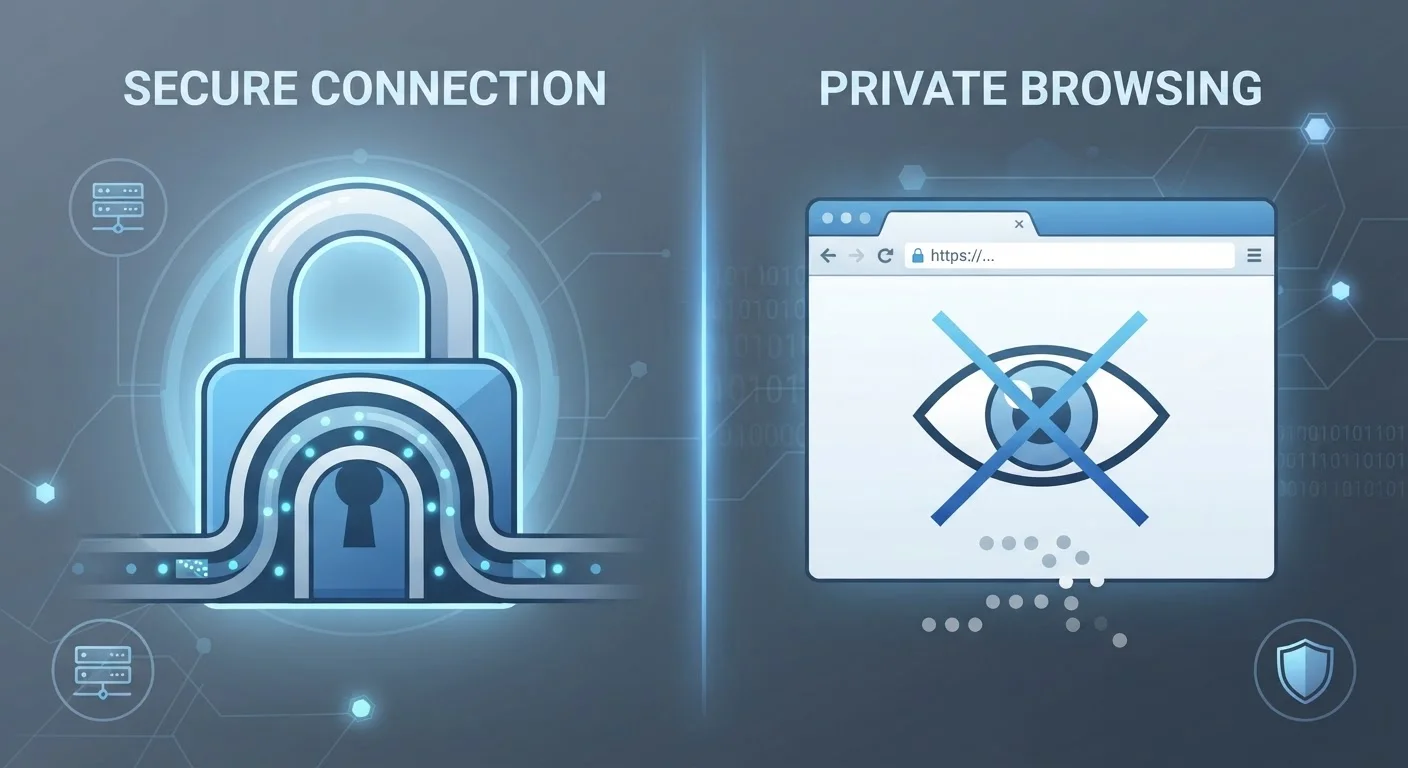
Option A
VPN (Virtual Private Network)
The network-level shield that hides your activity from the outside world.
Best for: Anyone who wants to hide their internet traffic from their internet service provider, employer network, or outside observers on public Wi-Fi.
Option B
Private Browsing Mode (Incognito)
The local privacy tool that keeps your browser history off your own device.
Best for: Anyone who wants to prevent their browser from saving history, cookies, or form data on the device they're using.
What Each Tool Actually Does
The confusion between VPNs and private browsing mode is understandable - both are marketed with the word "privacy." But they protect fundamentally different things in fundamentally different places.
Private browsing mode (called Incognito in Chrome, Private Window in Firefox and Safari) is a browser-level setting. When you enable it, your browser agrees not to remember your session: it won't log visited pages, store cookies, or save passwords and form entries once you close the window. That's it. The privacy is entirely local - it concerns only what gets written to your device.
A VPN works at the network level. It creates an encrypted tunnel between your device and a VPN server, then routes your internet traffic through that server. To your internet service provider (ISP) - the company delivering your home broadband or mobile data - and to anyone watching traffic on your network, the VPN makes your activity appear as a single encrypted stream going to one address. Websites you visit see the VPN server's IP address, not your own.
In short: private browsing cleans up after you on your device; a VPN shields you while data is in transit. These are different problems requiring different solutions. For a deeper look at what VPNs genuinely cover, see what VPNs genuinely protect and what they don't.
| Criterion | VPN | Private Browsing Mode |
|---|---|---|
| What it protects | Network traffic in transit | Local browser session data |
| Hides activity from your ISP | Yes | No |
| Hides activity from websites | Masks your IP address only | No |
| Prevents local history saving | No | Yes |
| Encrypts data in transit | Yes | No |
| Useful on public Wi-Fi | Yes, significantly | No meaningful benefit |
| Requires additional software | Yes - a VPN app or service | No - built into all browsers |
| Provides full anonymity | No | No |
What Neither Tool Protects You From
Understanding the limits of each tool matters just as much as understanding what it does.
Private browsing does not:
- Hide your activity from your ISP, employer, school, or network administrator
- Prevent websites from seeing your real IP address
- Stop advertisers from tracking you across sessions using fingerprinting techniques
- Remove data already synced to a cloud account (if you're signed into Google, for instance, searches may still be logged)
A VPN does not:
- Make you fully anonymous - the VPN provider itself can often see your traffic
- Prevent websites from tracking you with cookies you've already accepted
- Save you if you log into an account - once you sign in, the site knows who you are
- Protect data stored on your own device
The common thread: neither tool replaces thoughtful browsing habits. Private browsing myths that give people a false sense of security covers the most widespread misconceptions in detail.
A Note on VPN Provider Trust
When you use a VPN, you're shifting who can see your traffic - from your ISP to the VPN provider. A VPN provider that logs and sells your data offers limited privacy benefits. Look for providers with independently audited no-log policies, and understand that no VPN eliminates all risk. This article provides general educational information, not a recommendation of any specific VPN service.
When to Use One, the Other, or Both
These tools aren't competitors - they address different threat models, and you can use them simultaneously.
Use private browsing when: you're on a shared or family device and don't want your searches or logins retained locally. It's also useful for side-by-side price comparisons on shopping sites that may personalise results based on your cookie history.
Use a VPN when: you're on public Wi-Fi in a café, airport, or hotel - environments where traffic can be more easily observed. Public Wi-Fi carries real but manageable risks, and a VPN is one of the most effective mitigations. A VPN is also worthwhile if you want to limit what your ISP can see about your browsing habits.
Use both together when: you want the device-level tidiness of private browsing and the network-level protection of a VPN. Opening an incognito window while connected to a VPN is straightforward and addresses both concerns at once.
~50%
US adults who have used a VPN
Pew Research Center surveys consistently show roughly half of American adults have used a VPN at some point, though understanding of what it does varies widely.
Widely misunderstood
Incognito mode's actual protections
Academic research, including a 2018 study from the University of Chicago and Leibniz University Hannover, found that most users overestimate how much private browsing protects them from external tracking.
Once you've addressed both, the next step is a broader look at your digital exposure. The digital privacy audit checklist walks through every layer of your online life, from browser settings to smart home devices. You can also check browser security settings worth enabling now for quick wins that complement both tools discussed here.
The content on this site is for informational purposes only and is not a substitute for professional advice. Always consult a qualified professional for guidance specific to your situation.