

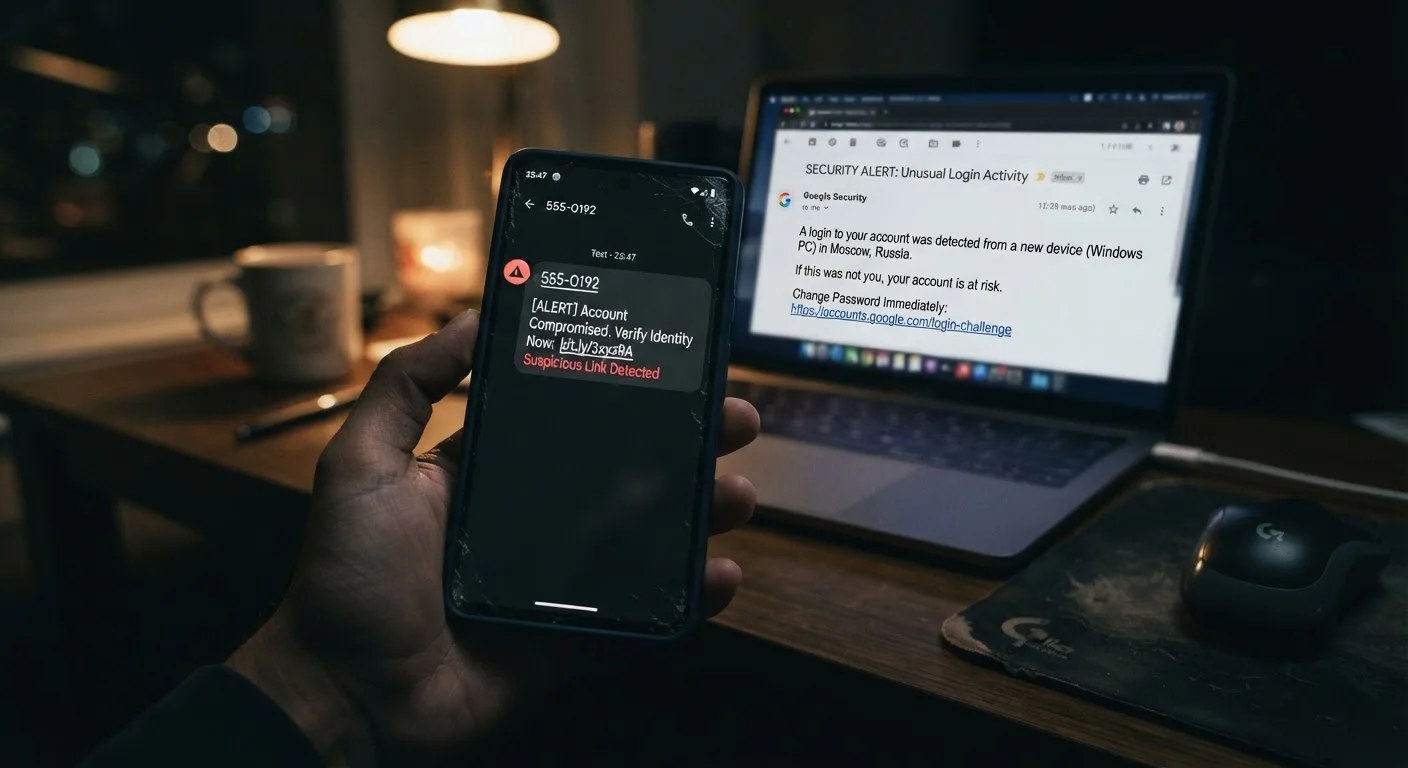
The Three Main Social Engineering Scams Explained
Scammers don't need to hack your devices. More often, they simply trick you into handing over what they need - a password, a credit card number, or remote access to your computer. The three most common methods follow recognizable patterns, even if the technology behind them keeps evolving.
| Phishing channel | |
| Smishing channel | SMS / text message |
| Vishing channel | Voice call (live or automated) |
| Common goal of all three | Steal credentials, money, or personal data |
| Most impersonated entities | Banks, delivery services, government agencies, tech support (FTC Consumer Sentinel Network data) |
| Spam SMS reporting shortcode (US) | 7726 (SPAM) (CTIA - The Wireless Association) |
Phishing (Email-Based)
Phishing uses fraudulent emails designed to look like they come from a trusted source - a bank, a government agency, a streaming service, or even your employer. The goal is usually to get you to click a malicious link, open an infected attachment, or enter your credentials on a fake login page.
Common red flags include mismatched sender domains (the display name says "PayPal" but the actual email address ends in a random domain), urgent or threatening language, generic greetings like "Dear Customer," and links that don't match where they claim to go. Hover your cursor over any link before clicking to preview the actual URL.
Smishing (SMS/Text-Based)
Smishing is phishing delivered by text message. Attackers impersonate delivery services, banks, or government bodies - sending messages like "Your package is on hold" or "Unusual activity detected on your account" followed by a shortened link. Because people tend to trust texts more than emails, and because it's harder to inspect links on a phone, smishing can be especially effective.
Be skeptical of any unsolicited text that asks you to tap a link or call a number, particularly if it creates urgency or asks for personal information.
Vishing (Voice Call-Based)
Vishing takes the attack off the screen entirely. A caller - sometimes a real person, sometimes an automated voice - poses as tech support, the IRS, Social Security Administration, or your bank. They may already know your name or partial account details, which makes them sound credible. The typical ask is immediate action: read out a one-time code, transfer funds, or install remote-access software.
Legitimate organizations will never pressure you to act immediately on an unexpected call. If in doubt, hang up and call the organization back using a number from their official website.
For a deeper look at how these patterns interconnect, see our plain-language guide to online scam tactics.
What to Do If You Suspect - or Fall For - a Scam
Recognizing a scam after the fact is stressful, but acting quickly can limit the damage. Here's a practical reference by scam type.
Phishing
A cyberattack delivered via email that impersonates a trusted entity to trick recipients into revealing sensitive information or clicking malicious links.
Smishing
A form of phishing carried out through SMS text messages. Attackers use fake alerts or offers to lure victims into tapping harmful links or sharing personal data.
Vishing
Voice phishing - scam calls from attackers posing as legitimate organizations to pressure victims into sharing information, making payments, or installing software.
Social Engineering
Manipulating people psychologically rather than exploiting technical vulnerabilities. Most phishing, smishing, and vishing attacks rely on social engineering to succeed.
One-Time Passcode (OTP)
A temporary code sent to verify your identity. Scammers may try to get you to read this code aloud so they can access your account while you're still on the call.
Spoofing
Faking the displayed sender address or caller ID to make a scam message appear to come from a legitimate source, such as your bank or a government agency.
If You Clicked a Phishing Link
- Do not enter any information on the page that opened.
- Close the tab immediately and run a malware scan.
- Change the password for any account that link pretended to represent.
- Check whether your email account shows any unauthorized activity - warning signs your inbox may be compromised include unfamiliar sent messages or login locations you don't recognize.
If You Responded to a Smishing Text
- If you tapped a link and entered credentials, change those passwords right away.
- Report the number to your carrier by forwarding the message to 7726 (SPAM).
- Contact your bank immediately if any financial information was shared.
If You Were Targeted by Vishing
- If you shared a one-time passcode, that account may already be accessed - log in from a trusted device and change your credentials.
- If you installed software at the caller's direction, disconnect your device from the internet and seek professional help to remove it.
- Report the incident to the FTC at reportfraud.ftc.gov.
~$10B
Reported fraud losses in the US in 2023
According to the Federal Trade Commission's Consumer Sentinel Network 2023 Data Book.
1 in 5
Adults who report receiving a vishing call in the past year
Estimates vary across consumer security surveys; treat this as an approximate indicator rather than a precise figure.
3%
Average click rate on phishing emails
Security awareness training firm benchmarks consistently show even well-trained employees click a small share of simulated phishing messages.
Layer Your Defenses Going Forward
No single step stops every scam. Using strong, unique passwords, enabling two-factor authentication, and staying skeptical of unsolicited contact all work together. Understand the difference between your options by reading about SMS codes vs. authenticator apps for two-factor authentication. If you travel frequently, the risks multiply - public Wi-Fi and unfamiliar networks can make you easier to target, so review digital security practices for travellers before your next trip.
When in Doubt, Go Directly to the Source
If you receive any message - by email, text, or phone - asking you to verify information or take urgent action, don't use the contact details provided in that message. Instead, go directly to the organization's official website or call the number printed on your card or statement. This one habit stops the majority of social engineering attempts before they succeed.
The content on this site is for informational purposes only and is not a substitute for professional advice. Always consult a qualified professional for guidance specific to your situation.