

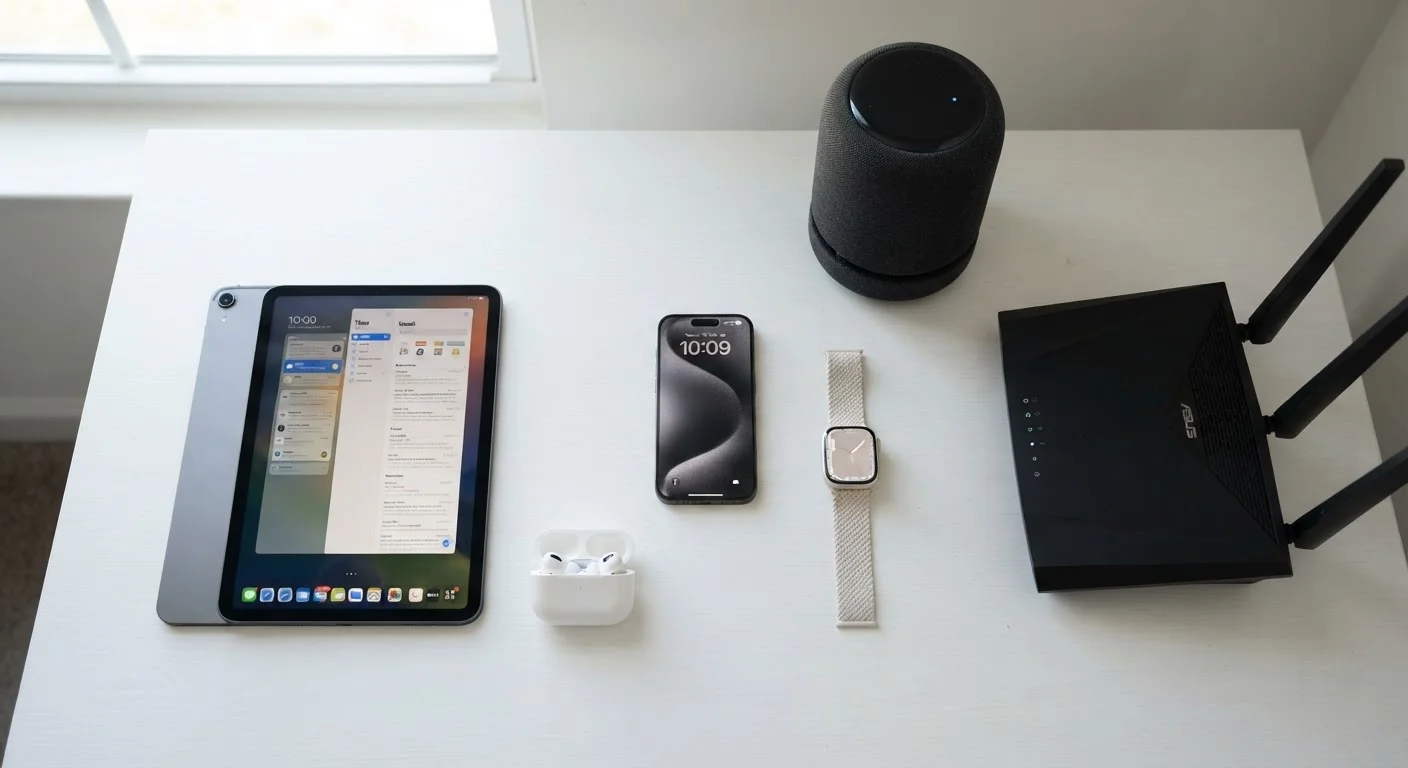
What Is a Personal Technology Ecosystem?
A personal technology ecosystem is the collection of devices, accounts, and services that work together in your digital life. It starts the moment you set up your first smartphone, and it grows - often without deliberate planning - as you add a laptop, a streaming stick, a smartwatch, and eventually a smart thermostat.
The word "ecosystem" matters because these devices don't simply coexist. They interact. A photo taken on your phone can appear on your tablet seconds later. A voice command to a smart speaker can adjust your lighting, play music, and read you a calendar reminder - all from one sentence. That interconnection is powerful, but it also means that a problem in one part of the ecosystem (a compromised account, a slow router, an outdated app) can ripple across the rest.
Understanding how each device category works is the foundation for using them confidently. This guide walks through the full picture - from the anchor devices at the center to the sensors at the edges.
The Core Devices: Phones, Tablets, and Computers
The smartphone is the hub of most personal ecosystems. It authenticates your identity (via face, fingerprint, or PIN), connects to almost every other device you own, and holds the accounts - email, banking, health apps - that define your digital presence. Tablets serve a similar purpose but are typically optimized for media consumption, reading, and light productivity at larger screen sizes.
Laptops and desktop computers remain the primary tools for complex work: document creation, video editing, software development, and multi-tab research. While phones handle more tasks than ever, keyboard-and-mouse input still offers speed and precision that touchscreens can't match for most professional workflows.
Check What Your Account Syncs Automatically
Before adding a new device to your ecosystem, take five minutes to review your platform account's sync settings. You may find that contacts, browsing history, or even clipboard contents are being shared across all signed-in devices - which is useful until a device is lost, stolen, or sold without being properly signed out.
These core devices usually connect through a shared operating system account - Apple ID, Google Account, or Microsoft Account. That account acts as the connective tissue: it syncs contacts, backs up photos, and allows features like "Find My Device" or seamless copy-paste between your phone and computer. Understanding what that account does (and what access it grants) is essential before you add more devices to the mix.
See how to set up, maintain, and retire devices responsibly for practical setup guidance across device types.
Wearables and Audio: Devices That Come With You
Wearables - smartwatches and fitness trackers - are extensions of your phone that stay on your body. They collect health-related data (step counts, heart rate, sleep patterns), surface notifications without requiring you to pull out your phone, and in some cases allow payments or calls directly from your wrist.
Wireless earbuds and headphones are now among the most-used personal devices, pairing via Bluetooth to phones, computers, and tablets. Many modern earbuds include active noise cancellation, voice assistant access, and automatic switching between devices - meaning they detect which device is actively playing audio and reconnect accordingly.
~17
Average connected devices per US household
According to Deloitte's Digital Media Trends survey, the number of internet-connected devices per US household has grown steadily across the past decade.
30%+
US adults who own a smartwatch or fitness tracker
Pew Research Center surveys have found roughly one in three US adults reports owning a wearable health or fitness device.
Both categories raise a consideration worth understanding: how much data they collect and where it goes. Fitness wearables in particular gather sensitive health metrics. That data typically flows to a companion app on your smartphone and then to a cloud server operated by the device maker. Reviewing the privacy settings of these apps - and what data sharing you've opted into - is worth doing periodically. For a broader approach to protecting your data across devices, see protecting your digital life across every device and account.
The Home Layer: Routers, Smart Speakers, and Connected Appliances
Your home router deserves more attention than most people give it. Every Wi-Fi connected device in your home - phones, smart TVs, thermostats, security cameras - depends on it. A router with outdated firmware, a weak password, or inadequate range creates problems that no individual device upgrade can fix. Think of it as the foundation of your home ecosystem. Understanding home internet options and connectivity basics can help you evaluate whether your current setup is working as well as it should.
Smart speakers and displays (voice-activated devices that respond to spoken commands) have become common household entry points for home automation. They connect to smart bulbs, locks, plugs, and thermostats, enabling voice or app-based control. The convenience is real - so are the tradeoffs. These devices use always-on microphones and send audio data to cloud servers to process commands.
A balanced look at smart home technology covers both the genuine benefits and the compatibility and privacy considerations in detail.
Smart Home Devices Require Ongoing Attention
Many budget smart home devices stop receiving security updates within a year or two of launch. A device that no longer receives firmware updates can become a vulnerability on your home network. Before purchasing any smart home device, check the manufacturer's stated support timeline - and plan to replace devices that are no longer supported.
How Devices Communicate and Sync
Personal devices use several wireless protocols, each suited to different tasks:
- Wi-Fi - high bandwidth, best for streaming, backups, and tasks requiring fast data transfer. Range is moderate; walls and interference affect it.
- Bluetooth - low power, short range, ideal for earbuds, keyboards, mice, and wearables.
- Zigbee and Z-Wave - mesh protocols used by many smart home sensors and lights. Devices relay signals through each other, extending range.
- Thread / Matter - newer standards designed to make smart home devices from different manufacturers work together more reliably.
Cloud sync is the other major communication layer. When your phone backs up photos or your fitness tracker uploads workout data, that information travels over the internet to a remote server, then becomes accessible from your other signed-in devices. Most of the seamless experiences people associate with modern ecosystems - documents updating across devices instantly, contacts appearing everywhere - rely on this cloud layer.
When troubleshooting any connectivity issue across multiple devices, restart your router first - before investigating the individual device. Most multi-device sync problems are actually network problems in disguise.
The router is the common dependency for every Wi-Fi-connected device; a simple reboot clears stale connections and is the fastest diagnostic step available.
Assign your smart home devices to a separate Wi-Fi network (a "guest network" or dedicated IoT SSID) rather than the same network your phones and computers use. This limits exposure if a less-secure smart device is ever compromised.
Smart home devices often receive infrequent security updates; network segmentation is a widely recommended practice for limiting the blast radius of a compromised device.
Managing Your Ecosystem: Accounts, Updates, and Privacy
Managing a personal technology ecosystem well comes down to three consistent habits:
- Keep software updated. Operating system and app updates routinely patch security vulnerabilities. Delaying them - on any device, including your router - leaves known weaknesses open. Enable automatic updates where practical.
- Audit your accounts. Know which accounts are linked to which devices and review permissions periodically. Remove apps or services you no longer use; they may retain access to your data or contacts long after you've stopped using them.
- Separate profiles when devices are shared. A device used by multiple household members should have distinct user profiles to keep data, apps, and accounts separate. Account separation for shared devices matters more than most users realize - especially for children's safety and financial privacy.
Security settings aren't a one-time task. As your ecosystem grows, the surface area for potential problems grows with it. A periodic review - checking which devices are connected to your router, which apps have location access, and whether old devices have been properly wiped before disposal - is one of the most practical things you can do. See online safety and privacy resources for guidance on building these habits into your routine.
Ecosystems Don't Require a Single Brand
You don't need to commit to one manufacturer's products to have a functional, well-integrated ecosystem. Open standards like Matter are making cross-brand smart home compatibility more practical. That said, tighter integration - faster sync, more features - is generally available within a single platform's products. The trade-off between flexibility and convenience is worth weighing deliberately.
The content on this site is for informational purposes only and is not a substitute for professional advice. Always consult a qualified professional for guidance specific to your situation.